Paperclip AI Day 3: Goal Alignment — Every Task Knows Its Purpose
Deep dive into Paperclip AI's goal hierarchy: from company mission to individual tasks. Give every AI employee context, and never let them work blind again.
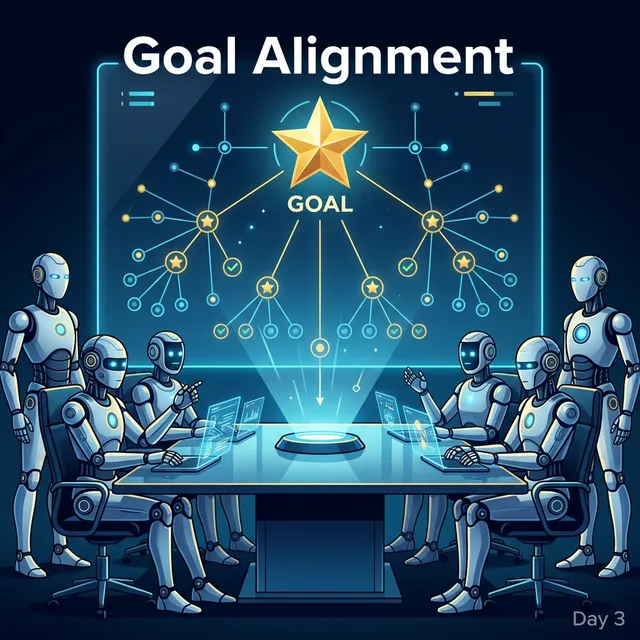
📎 Imagine this: You tell a developer to write a WebSocket endpoint. Three days later, they deliver something that “works.” The problem? They had no idea it was meant for real-time collaborative editing — so security, concurrency, and message formatting were all half-baked. That’s the cost of zero goal alignment.
What We’ll Cover Today
Over the past two days, you built your company and hired employees. But a company with an org chart and no strategic direction is just a bunch of strangers trapped in the same office.
Today you will master:
- 📖 Paperclip AI Glossary: What the heck are Company, Goal, Project, Agent, and Issue? We’ll break it all down in plain English.
- 🎯 Setting the Main Quest: How to define your company’s ultimate mission and how it cascades downward.
- 🧬 Why AI Stops Going Off-Track: Every task carries “ancestral DNA” — even the lowest-level coder knows they’re building toward a million-dollar business.
- ✅ The Boss’s Strategic Approval: After the CEO builds a plan, they can’t just charge ahead — they need your sign-off.
📖 Plain English: The Paperclip AI Glossary
Before you go any further, let’s shatter the jargon and explain the core concepts in human terms. No buzzwords, just straight talk.
🏢 Company
Exactly what it sounds like — the company you built inside Paperclip. It’s not an abstract concept; it’s a real entity living in your local database. Every company has:
- A name (the one you chose on Day 2 — remember? Mine was greedisgood 😜)
- An ultimate goal (why does this company exist? — today’s main topic)
- An employee roster (the list of all your Agents)
- An org chart (who manages whom)
- A budget (how much you can burn per month — Day 4 topic)
Think of it this way: the company is your save file. One Paperclip installation can run multiple companies (multiple save files), each completely independent.
🎯 Goal
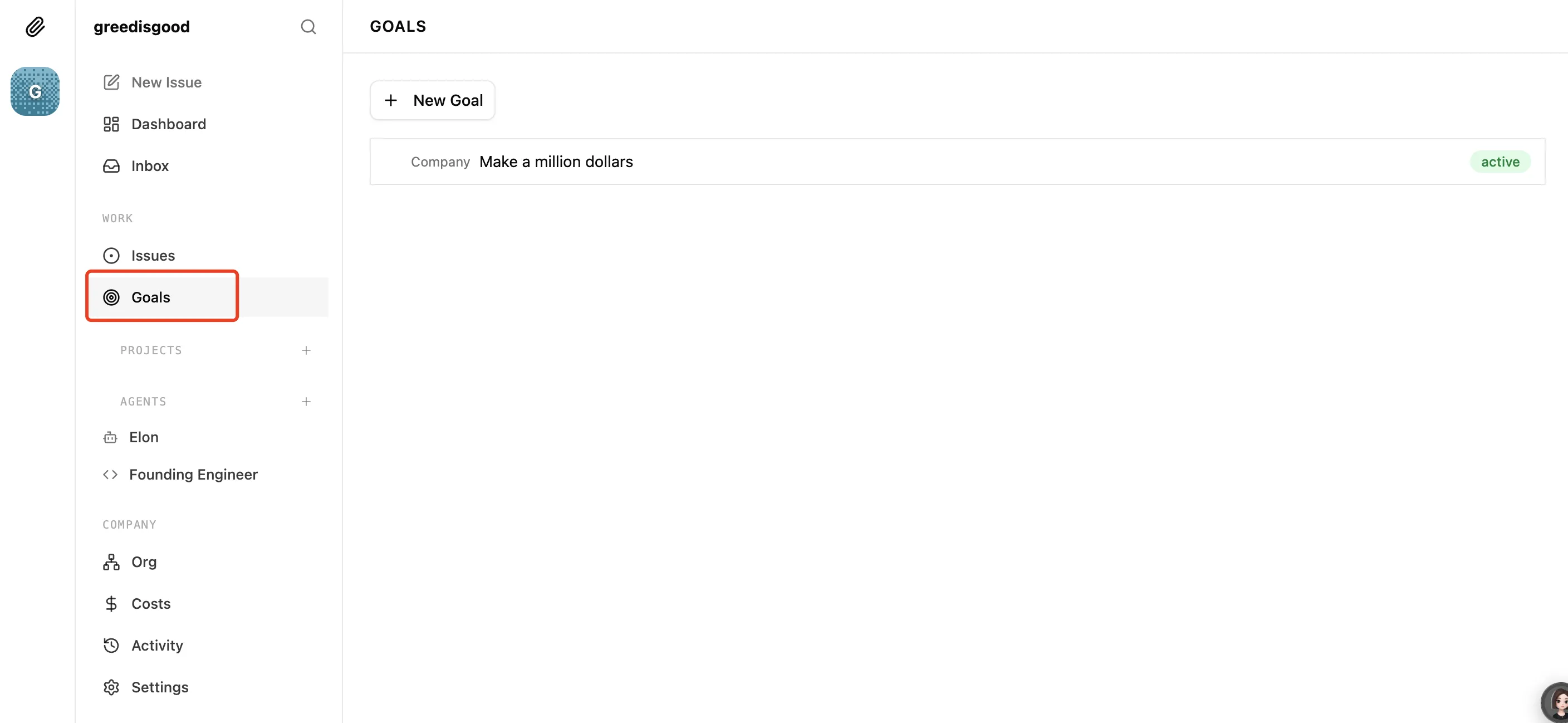
Paperclip supports different types of goals:
- Company — The company’s vision, your north-star metric. Set it to your long-term aspiration. For example: “Become financially independent from my salary through side projects”
- Team — Team-level objectives that break the company vision into concrete targets like R&D goals and operational goals. For example:
- “Build an AI note-taking app that hits $1M MRR”
- “Create a tech blog network with 100K daily unique visitors”
- “Automate a YouTube channel generating $5,000/month in revenue”
- Agent — Individual employee goals tailored to each role. CEO, CTO, and so on.
Here’s the thing: you can absolutely let the CEO break these down for you (that’s why the CEO Agent is so important!). You only need to define the top two levels.
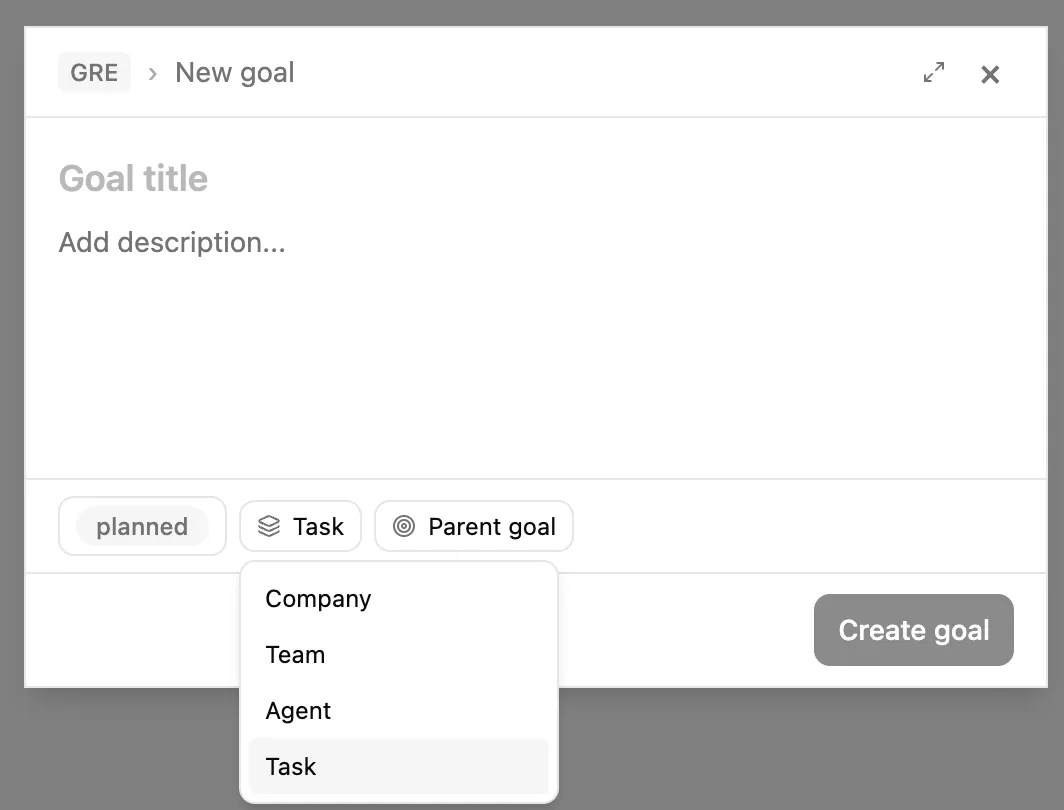
Each goal can be configured with:
- Title
- Description
- Status (Planned, Active, Achieved, Cancelled)
- Type
- Parent goal (meaning the current goal is a sub-goal)
👀 Note: Currently, goals cannot be deleted through the UI. If you need to delete one, just ask your CEO to handle it.
📂 Project
To achieve the big goal, you need to break it into smaller “side quests.” These side quests are Projects.
For example, if the goal is “Build an AI note-taking app,” projects might include:
- Project A: Develop the core editor
- Project B: Build real-time collaboration
- Project C: Handle user growth
Each project is one facet of the goal — one piece of the puzzle.
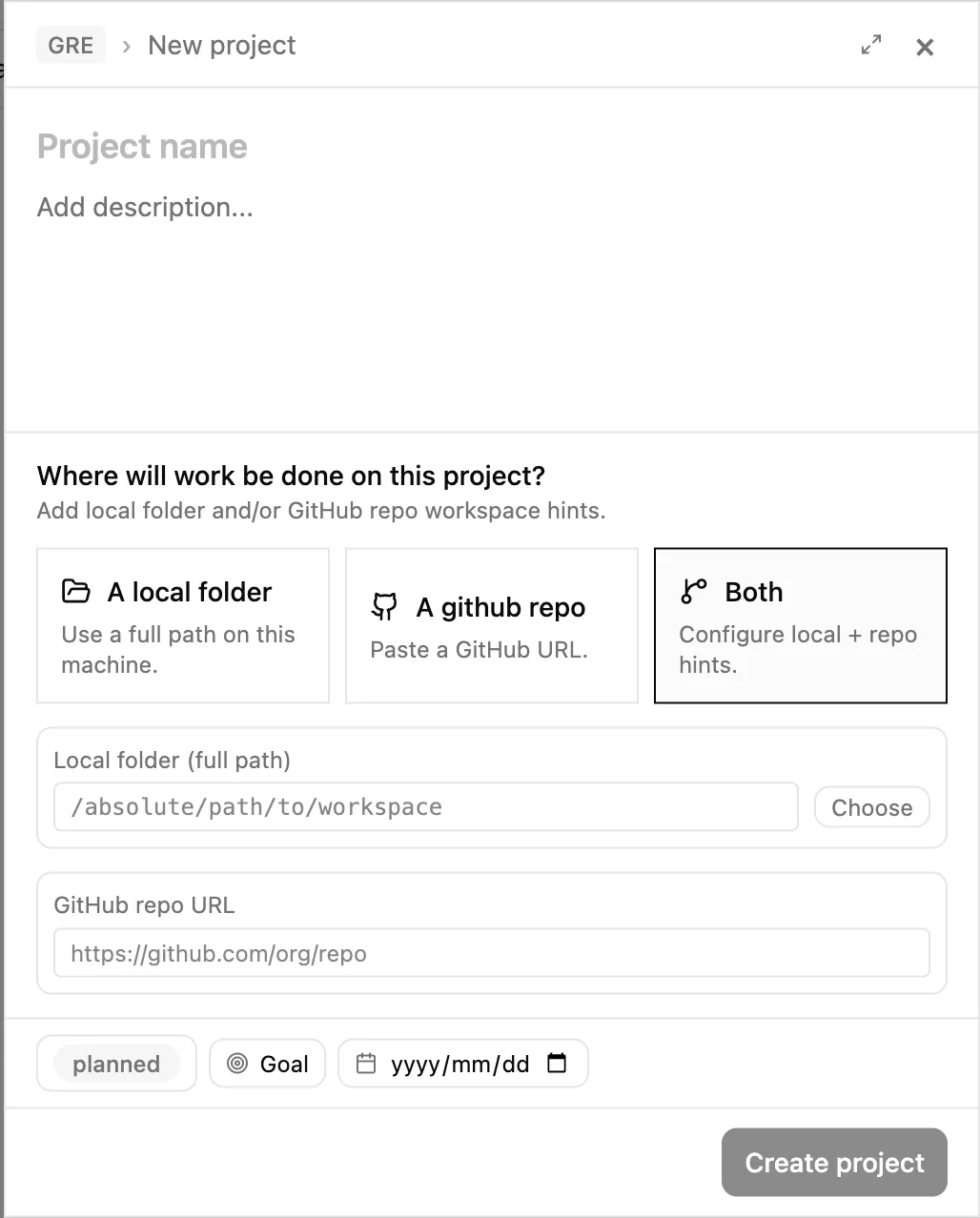
Each project can be configured with:
- Name
- Description
- Local path / Remote repository: Set a working directory (and GitHub remote URL) so agents can work directly on it
- Status (Backlog, Planned, In Progress, Completed, Cancelled)
- Associated goal
- Deadline
🤖 Agent (Employee)
These are the “people” you hired on Day 2. In Paperclip’s universe, Agent = Employee. They have names, titles, reporting lines, and job descriptions (JDs).
You can add Agents manually:
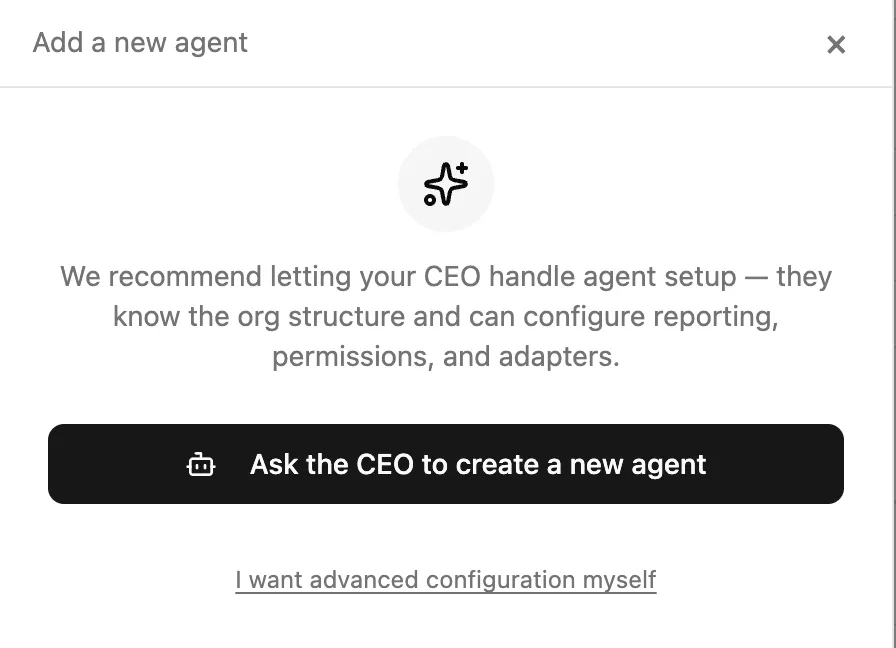
But remember — you’re the Chairman! Don’t get bogged down in the weeds.
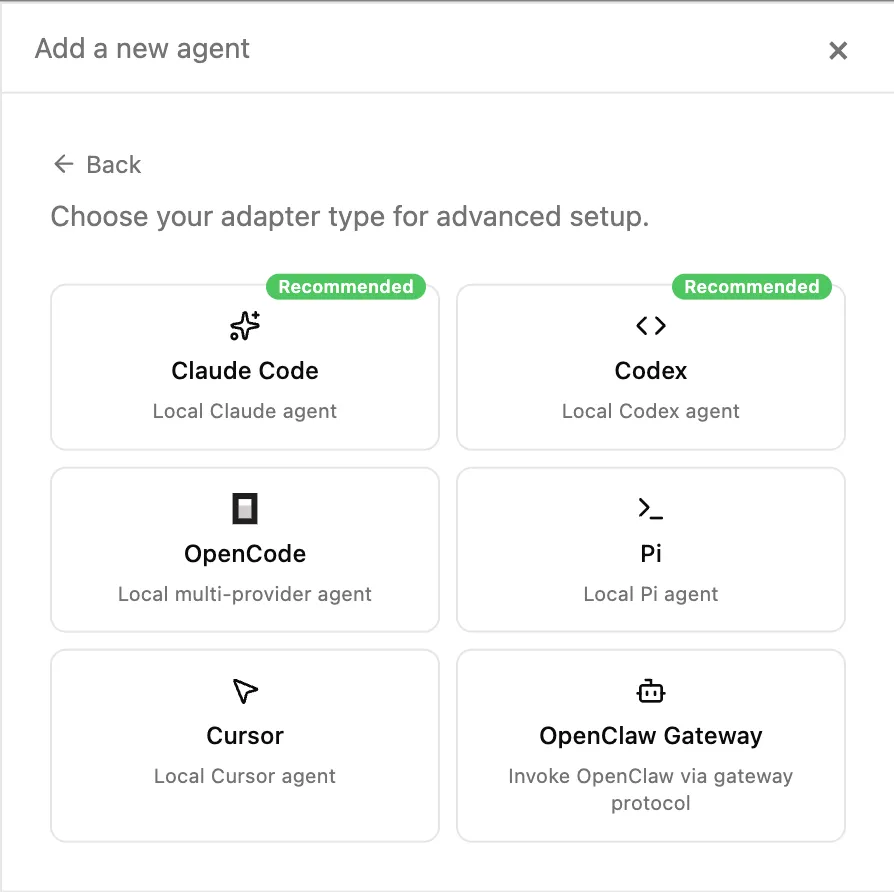
The underlying model is configurable. Different roles warrant different models based on cost and performance trade-offs — for example: CEO on Opus, CTO on Codex, etc. (Paperclip AI’s model support is still growing, with more options on the way!)
📋 Issue (Task / Ticket)
This is the smallest unit of work in the entire system. If the Goal is the win condition, Projects are side quests, then Issues are the individual levels you need to clear.
For example, under the “Real-time Collaboration” project, you might have:
- Issue #101: Design the WebSocket message protocol
- Issue #102: Implement conflict resolution algorithm
- Issue #103: Write end-to-end tests
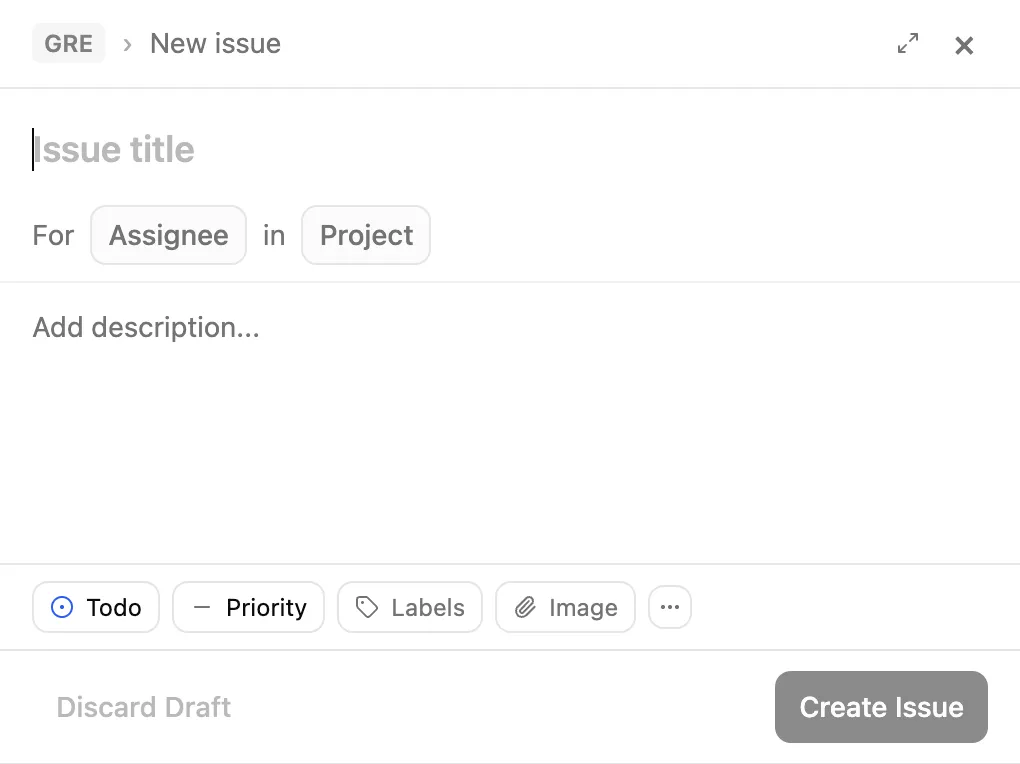
Each Issue has these properties:
| Property | Description |
|---|---|
| Title | What this task is called |
| Description | What specifically needs to be done |
| Status | backlog → todo → in_progress → in_review → done |
| Assignee | Who’s responsible (only one Agent at a time) |
| Project | Which project this task belongs to |
| Priority | How urgent it is |
🔗 How They All Connect
One diagram to rule them all:
🏢 Company (Your business empire)
 └── 🎯 Goal: "Build an AI note-taking app at $1M MRR"
      ├── 📂 Project A: Core Editor
      │    ├── 📋 Issue: Design editor architecture       → Assigned to CTO
      │    ├── 📋 Issue: Implement Markdown rendering     → Assigned to Engineer
      │    └── 📋 Issue: Design UI mockups                → Assigned to Designer
      ├── 📂 Project B: Real-time Collaboration
      │    ├── 📋 Issue: Design WebSocket protocol        → Assigned to CTO
      │    └── 📋 Issue: Implement conflict resolution    → Assigned to Engineer
      └── 📂 Project C: User Growth
           ├── 📋 Issue: Write launch copy                → Assigned to CMO
           └── 📋 Issue: Design landing page              → Assigned to Designer
You only operate at the top level: set goals, review reports, approve strategies. The CEO handles breaking things down from projects to specific Issues and assigning them.
🎯 Setting Your Company’s “Win Condition”
Alright, glossary sorted. Time to get to work.
Step One: Write Your Mission Statement
When you create a company, Paperclip asks you for a Company Goal. Don’t treat this like one of those empty corporate mission statements. Think of it as your game’s win condition. The more specific, the better:
| ❌ Bad Goals | ✅ Good Goals |
|---|---|
| ”Build something awesome" | "Ship an AI note-taking app with real-time collab within 6 months, hitting $10K MRR in month one" |
| "Do some content marketing" | "Launch a tech blog publishing 3 SEO-optimized articles per week, reaching 50K monthly organic traffic within 3 months" |
| "Make money" | "Automate a YouTube channel producing 20 videos/month, generating $5,000/month revenue within 6 months” |
Why so specific? Because this goal will infect every subordinate. If your goal is “build something awesome,” the CEO’s strategic plan will be an equally vague pile of nonsense. Garbage in, garbage out.
What Does the CEO Do After Receiving Orders?
After you hand the CEO your goal, they won’t immediately start recruiting and charging into battle. They’ll sit quietly and think for a moment. Then they’ll do something very “executive” —
Write a strategic plan.
The CEO will break your ultimate goal into several Projects, and each Project into specific Issues. The flow looks something like this:
You (Chairman)
  ↓ "I want to build an AI note-taking app, hitting $10K MRR in month one"
CEO (Elon)
  ↓ Thinks for a moment...
  ↓ Outputs strategic plan:
  ├── Project 1: Core Product Development (assigned to CTO)
  │    ├── Issue: Tech stack research
  │    ├── Issue: Core editor development
  │    └── Issue: Collaboration feature development
  ├── Project 2: User Growth (assigned to CMO)
  │    ├── Issue: Landing page design
  │    ├── Issue: Content marketing strategy
  │    └── Issue: Social media promotion plan
  └── Project 3: Infrastructure (assigned to CTO)
       ├── Issue: CI/CD setup
       └── Issue: Monitoring and alerting system
Important: The troops haven’t moved yet. After the CEO finishes the plan, they’ll respectfully submit a “memo” to you and wait for your approval.
✅ The Boss’s Strategic Approval: You’re the Final Gate
This is one of Paperclip’s most reassuring design decisions: the CEO Strategy Approval Gate.
After the CEO breaks down the strategy, they won’t execute on their own. They’ll submit an approval request to your inbox, clearly outlining:
- The proposed project breakdown
- The goal of each project
- Rough priorities and timeline
- Any new hires needed (if applicable)
You can do one of three things:
- ✅ Approve: Green light. The CEO starts distributing Issues to subordinates, and the whole company starts turning.
- ✏️ Request Changes: Direction is fine, but details need tweaking. Maybe you think “User Growth” should wait until the product MVP is complete.
- ❌ Reject: Nope, start over. This usually happens when the CEO is “overthinking” or has gone off course.
📎 Boss Pro Tip: Don’t agonize over the wording of every single Issue during the approval step. You’re reviewing the strategic direction, not doing a line-by-line code review. Check if the big picture makes sense and if priorities are reasonable. The CEO will continue refining things as they delegate downward.
🧬 “Top-Down Alignment”: Why AI Finally Stops Spinning Its Wheels
This is today’s most important concept — and one of the key differentiators that sets Paperclip apart from other AI orchestration tools.
The Fatal Flaw of Traditional AI
When you used to tell an AI to write a WebSocket endpoint, the conversation probably went like this:
You: “Write me a WebSocket endpoint.” AI: “Sure! Here’s a basic WebSocket server…”
The AI built a simple echo server and called it done. Why? Because it had no idea:
- This WebSocket is for real-time collaborative editing
- Collaborative editing is part of an AI note-taking app
- The note-taking app exists to hit your $10K MRR business goal
AI without context is like a temp worker who doesn’t know the company strategy — they can do the work, but the quality is… let’s say “adequate.”
Paperclip’s Solution: Tasks Carry Context Automatically
In Paperclip, every Issue belongs to a Project, and every Project traces back to a Goal. This means every task can look up its own lineage:
Issue #103: "Implement WebSocket message broadcasting"
  ├── Project: Project B - Real-time Collaboration
  │    └── Company Goal: "Build an AI note-taking app at $1M MRR"
When the Engineer picks up Issue #103, the system automatically injects this entire goal chain into their working context.
This means the Engineer “knows” the following while writing code:
- I’m not building a generic WebSocket — it’s for real-time collaborative editing
- Collaborative editing requires low latency, high reliability, and conflict resolution
- This feature exists to help the company achieve $1M MRR
- So I can’t just slap together an echo server — I need to consider message queuing, room management, and reconnection handling
Same task, with vs. without context — the output quality can differ by 10x.
A Real-World Comparison
| Dimension | Without Context | With Context |
|---|---|---|
| What you said | ”Write a WebSocket endpoint” | The exact same sentence |
| What AI understood | An echo server | A reliable messaging channel for real-time collaboration |
| Output quality | ”It runs, I guess” | Considers concurrency, auth, reconnection, message format |
| Rework cycles | 3–5 times | Usually 1 |
| Your reaction | ”Is this AI broken?" | "This employee gets the big picture” |
📎 This is the power of goal alignment. The AI didn’t get smarter — you finally gave it enough context. Just like in the real world: an employee who understands the company vision executes on a completely different level from one who just “does what they’re told.”
🔄 How Goals Flow Downward
Let’s walk through the entire flow end to end. You’ll realize it mirrors exactly how a real company operates:
Step 1: You (Chairman) set the mission
"Build an AI note-taking app at $1M MRR"Step 2: CEO receives the mission, drafts a strategic plan
- Breaks it into 3 projects
- Submits for approval
Step 3: You approve
Step 4: CEO distributes downward
- CTO receives the “Core Product Development” project
- CMO receives the “User Growth” project
Step 5: CTO continues breaking things down
- Engineer receives “Implement WebSocket message broadcasting”
- Engineer receives “Write end-to-end tests”
- Designer receives “Design editor UI”
Step 6: Engineer starts working
- Context auto-injected: knows this WebSocket is for collaborative editing → note-taking app → $1M MRR
- Produces high-quality code
Step 7: Reports flow back up
- Engineer completes work, updates Issue status → CTO receives report → CEO aggregates progress → You see everything on the dashboard
Throughout this entire process, you only did two things: set the goal and click approve. Everything else was the company running itself.
⚠️ Common Pitfalls: Rookie Boss Mistakes
Pitfall 1: “I need to personally assign every task”
Wrong. You only assign to the CEO. Let the CEO delegate downward. Micromanagement disrupts the organizational rhythm.
Pitfall 2: “Keeping goals vague gives AI creative freedom”
Dead wrong. Vague goals = vague strategy = everyone flailing. A goal like “build something great” produces a CEO plan so fuzzy that even you can’t stand reading it.
Pitfall 3: “Approval is too slow, just let the CEO run free”
Don’t. The approval gate is your most important power as Chairman. Spending 5 extra minutes reviewing the strategic direction upfront saves dozens of hours of rework later. Once you trust your CEO enough, you can start loosening the reins.
Pitfall 4: “More projects = better”
Nope. The iron law of startups: focus beats breadth every time. Start with one project. Once the first one is running smoothly, expand. Otherwise, you’re fighting three boss battles simultaneously with no ending in sight.
Today’s Tasks ✅
Here’s your hands-on homework:
- Define your company goal. Pull out the list you made on Day 1, distill those tedious tasks into one specific, measurable ultimate goal. For example: “Automate management of my 3 GitHub projects, producing weekly reports automatically, with full progress visibility.”
- Imagine how the CEO would break it down. If the CEO received this goal, what projects would they create? What Issues might fall under each project? Sketch the “family tree” on a piece of paper.
- Experience the power of alignment. Next time you use any AI tool, try adding context to your task description: “This task is for X, and X is for Y.” You’ll notice a quantum leap in output quality.
🔥 One thing I have to mention: Paperclip’s token consumption is massive!
Preview: Day 4 — Budget Control
Tomorrow we tackle the topic every boss cares about (and fears): money. What if an AI gets stuck in an infinite loop burning through tokens? How do you set budgets? How does the circuit breaker work? Don’t worry — your CFO is stricter than you’d expect.
Boss, we’ll see you at the finance department tomorrow.
Goals aren't slogans — they're DNA. From the company mission down to the lowest-level ticket, goals cascade like genetic code layer by layer. Your AI employees finally know why they're working overtime.